
Skip to content
IncidentBot

Incident management software

Incident management software that pages, coordinates and reports

IncidentBot routes every alert to the right on-call engineer, runs the incident in Slack, keeps your status page current and drafts the postmortem. One price per seat, nothing to bolt on.

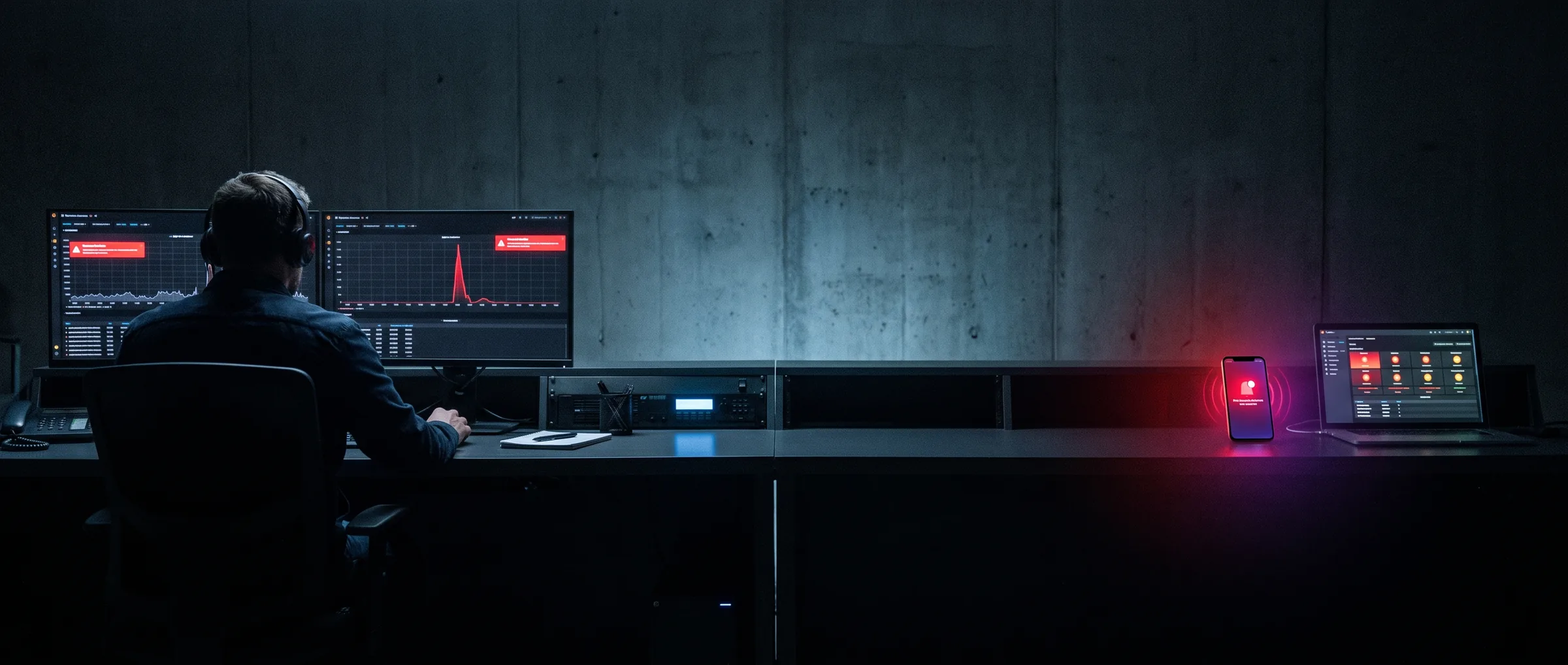
Night on-call desk: monitors with a red latency spike and a phone receiving a page
Incident INC-2481

14:02:11

SEV2

Opened 14:02:11

Status: Investigating

INC-2481 checkout-api p95 latency above 2s

SEV2 Triggered Resolved Triggered
TimeActorEvent
14:02:11DatadogMonitor "checkout-api p95 > 2s" fired
14:02:12IncidentBotGrouped 3 related alerts into INC-2481
14:02:12IncidentBotPaged primary on-call, Payments (push)
14:07:12IncidentBotNo acknowledgement in 5 min, escalated to secondary (SMS, voice)
14:08:40Secondary on-call, PaymentsAcknowledged
14:09:02IncidentBotOpened #inc-2481-checkout-api-latency, assigned commander
14:12:30CommsStatus page: "Degraded performance: Checkout" published
14:41:05CommanderResolved, rollback of release 2026.09.3
14:41:06IncidentBotPostmortem draft created with 8 timeline events
Run a sample incident

Set up in an afternoon. Your incident data stays yours.

From alert to postmortem

Incident management tool setup in four steps

Most teams connect their first alert source and first schedule in an afternoon. The full walkthrough is on how it works.

See how it works
Smartphone on a desk at night showing an on-call page waiting for acknowledgement

Input

1. Connect your monitoring

Add an integration for Datadog, Prometheus Alertmanager, Grafana, CloudWatch or Sentry, or point any tool at your email or webhook address. Alerts map to services and their owners.

Output

DatadogCloudWatchSentry

Service: checkout-api, owner: Payments, integration: Datadog

Input

2. Import or build your schedules

Import schedules and escalation policies from Opsgenie or PagerDuty, or build a weekly rotation with overrides in a few minutes.

Output

  • Payments primary: weekly rotation, handoff Monday 10:00
  • Tier 1: primary on-call, 5 min. Tier 2: secondary on-call, 10 min. Tier 3: team lead.

Input

3. Respond with /incident in Slack

The on-call engineer acknowledges from the phone. The incident runs in its own Slack channel with roles, severity and a live timeline.

Output

Payments, primary14:08

/incident declare SEV2 checkout-api latency

Input

4. Publish status and review

Comms publishes the drafted status update, the commander resolves the incident, and the team reviews a postmortem that is already written.

Output

Degraded performanceCheckout

Degraded performance: Checkout. We are investigating slower checkout responses. Next update in 30 minutes.

Compare

IncidentBot compared with a stitched incident stack

Many teams run incidents on four separate tools: a paging tool, a Slack bot, a status page product and a document for postmortems. Here is what changes with one.

Compare with PagerDuty
CriterionStitched stackIncidentBot
Tools to maintainFour, each with its own users and settingsOne
Bills to approveFour vendors, several of them priced per featureOne invoice, priced per responder seat
Where the timeline livesSplit between paging tool, Slack history and notesOne timeline for the whole incident
Status pageA separate product and a separate loginIncluded in every plan
PostmortemWritten from memory days laterDrafted from the timeline when you resolve
Stakeholder accessOften a paid seat eachRead-only viewers included and not billed
Paging when Slack is downDepends on how the tools are wiredPush, SMS and voice do not depend on Slack

Alert, Page, Coordinate, Inform, Learn

One tool for the whole incident, from the first alert to the last action item

When production breaks, the first minutes go to questions: who is on call, who else to wake up, which channel to use, who tells customers. IncidentBot answers each of them for you, step by step.

Alert with every source in one queue

Datadog, Prometheus Alertmanager, Grafana, CloudWatch, Sentry, email and webhooks all land in one place. IncidentBot groups related alerts and drops duplicates, so a noisy dependency opens one incident instead of forty pages. Read more about incident alerting.

Three alerts from the same service within two minutes become one incident.

Page the right engineer on the right channel

Each alert follows the escalation policy of its service and reaches whoever is on call right now: mobile push, SMS, voice call, email or Slack. Schedules handle rotations, overrides and swaps. See on call scheduling software and on call management.

Escalates to the secondary after 5 minutes without acknowledgement.

Coordinate the incident in Slack

Type /incident in Slack. IncidentBot opens a dedicated channel, assigns the commander, comms and scribe roles, sets the severity and pulls in the runbook for the affected service. Every message and decision lands on the timeline. More on incident response tools and Slack incident management.

Channel #inc-2481-checkout-api-latency opened 1 second after acknowledgement.

Inform customers with a drafted status update

The status page update is drafted from the incident itself: affected component, impact level and a customer-facing message. Comms reviews it, publishes in one click, and subscribers are notified. See the status page app, or the status page for SaaS setup if enterprise customers ask you for one.

SEV2 on checkout-api maps to "Degraded performance: Checkout".

Learn from a postmortem written before the meeting

Resolve the incident and the postmortem draft is already written from the timeline: impact window, time to acknowledge, time to resolve and every key event. Action items sync to Jira and Linear. Read about incident postmortems and incident tracking software.

Postmortem draft with 8 timeline events, ready for review.

Engineer at a desk following an incident timeline and monitoring graphs on two screens

Security, SLAs and one invoice

Downtime cost, SLAs and one invoice for VP Engineering and CTOs

Every minute you cut from time to acknowledge is a minute of downtime your customers do not see.

Compare plans

38m 55s

Time to resolve, INC-2481

Downtime and SLA commitments

Enterprise customers hold you to uptime commitments. IncidentBot measures MTTA and MTTR per service and reports SLA and uptime you can share with customers.

2

People woken up, INC-2481

On-call fairness and burnout

The on-call load report shows who was paged, how often and at what hours, so you rebalance rotations before your best engineers burn out.

1

Bills to approve

One invoice, audit trail, SSO and roles

One product replaces your paging tool, Slack incident bot, status page and postmortem tooling. Business adds SSO/SAML and an audit log. Enterprise adds SCIM, data residency and a paging uptime SLA. Details on enterprise incident management software.

Pricing

Pricing per responder seat, monthly or annual

Stakeholder viewers are included in every plan. You pay only for the people who go on call or act on incidents.

Starter

For small teams starting on-call.

24 USD

  • 49 USD per user per month, billed monthly
  • 24 USD per user per month, billed annually
Your total per month
  • Up to 3 schedules and 3 escalation policies
  • 100 SMS and voice notifications per user per month
  • Slack incident channels with /incident
  • 1 public status page

Team

Recommended

For product engineering teams.

49 USD

  • 99 USD per user per month, billed monthly
  • 49 USD per user per month, billed annually
Your total per month
  • Unlimited schedules, rotations and escalation policies
  • Unlimited SMS and voice paging (fair use)
  • Incident roles, severity levels and runbooks
  • 3 status pages with subscribers and custom domain
  • Postmortem drafts, action items to Jira and Linear
  • MTTA, MTTR and on-call load reports

Business

For multi-team and regulated organizations.

99 USD

  • 199 USD per user per month, billed monthly
  • 99 USD per user per month, billed annually
Your total per month
  • Service catalog and workflow automation
  • Unlimited and audience-specific status pages
  • SLA and uptime reporting per service
  • SSO/SAML, audit log, Microsoft Teams
  • Priority support

Enterprise

For large organizations with security and procurement requirements.

199 USD

  • 398 USD per user per month, billed monthly
  • 199 USD per user per month, billed annually
Your total per month
  • SCIM, advanced roles, data residency in the US or EU
  • 99.99 percent paging uptime SLA
  • Migration from Opsgenie or PagerDuty
  • Invoicing, purchase orders, DPA

Every plan is a subscription per responder seat. See the full comparison on on call management software pricing.

FAQ

Questions teams ask before they switch

How long does setup take?

An afternoon for the first alert source and the first on-call schedule. Importing schedules from another tool shortens it further, and adding more services and teams is the same steps repeated.

Can we import schedules and escalation policies from Opsgenie or PagerDuty?

Yes. IncidentBot imports schedules, rotations, overrides and escalation policies, so your on-call setup carries over without rebuilding it by hand. Enterprise includes a guided migration. See the Opsgenie alternative page.

What happens if Slack is down?

Paging does not depend on Slack. IncidentBot pages by mobile push, SMS, voice call and email, and the incident timeline stays available in the web app until Slack is back.

Do stakeholders need a paid seat?

No. Read-only stakeholder viewers are included in every plan and are not billed. You pay for responder seats only.

What permissions does the Slack app need?

Permission to create and manage incident channels, post messages, read messages in incident channels for the timeline, and use slash commands. It does not read your other channels.

Where is our data stored, and can we choose the EU?

Data is stored in the US by default. Enterprise lets you choose US or EU data residency and set custom retention.

Is IncidentBot free to use?

There is no free plan. The interactive incident simulator on this site runs without an account, and plans are billed per responder seat, monthly or annually.

Can we cancel anytime?

Yes. A monthly plan runs to the end of the paid month and then stops. An annual plan runs to the end of the paid year.

More answers on the incident management software FAQ.

Incident simulator, no account needed

Run a sample incident in your browser

Pick an alert source, build an escalation policy and choose a scenario. The simulator shows who gets paged, when the incident escalates, what the status page says and what the postmortem looks like. No account needed. The full-width version is the incident response platform demo.

Edit the payload if you like. IncidentBot reads the service, severity and summary from it.

Escalation policy
When the alert fires
What the primary does

Resolved Triggered
TimeActorEvent
14:02:11 Datadog

No events yet. Run the incident to build the timeline.

TimeActorEvent

Impact
Time to acknowledge
Time to resolve
Timeline

Postmortem skeleton sections

  1. Summary
  2. Impact
  3. Timeline
  4. Root cause
  5. What went well
  6. What to improve
  7. Action items

Results of this run

Time to acknowledge

People woken up

Escalations used

Policy hints

  • This policy has a single tier. At night, an unacknowledged page reaches nobody else. Add a second tier.
  • Your first timeout is 15 minutes. For SEV1 that is a long time before anyone else is paged.
  • The whole team is paged in tier 1. Page one person first and escalate, so fewer people are woken up.

Like what the simulator produced? The same engine runs on your alerts and schedules.

Your next incident is already scheduled. Be ready for it.