Skip to content
IncidentBot

Jira Service Management alternative for on-call teams and incident response

IncidentBot is a Jira Service Management alternative for engineering teams that use JSM mostly for alerts and on-call. It pages the right engineer, opens the incident channel in Slack, publishes the status page and drafts the postmortem, from 24 USD per responder seat a month billed annually. People who only follow incidents are read-only and free, and action items sync back to Jira on Team, so the backlog stays where it is.

Jira Service Management stays the better choice for an employee service desk, asset management or a team that lives in Jira. This page is for the other case, a rotation of 5 to 60 engineers who need the incident to run where the team already talks.

Why on-call teams look for a Jira Service Management alternative

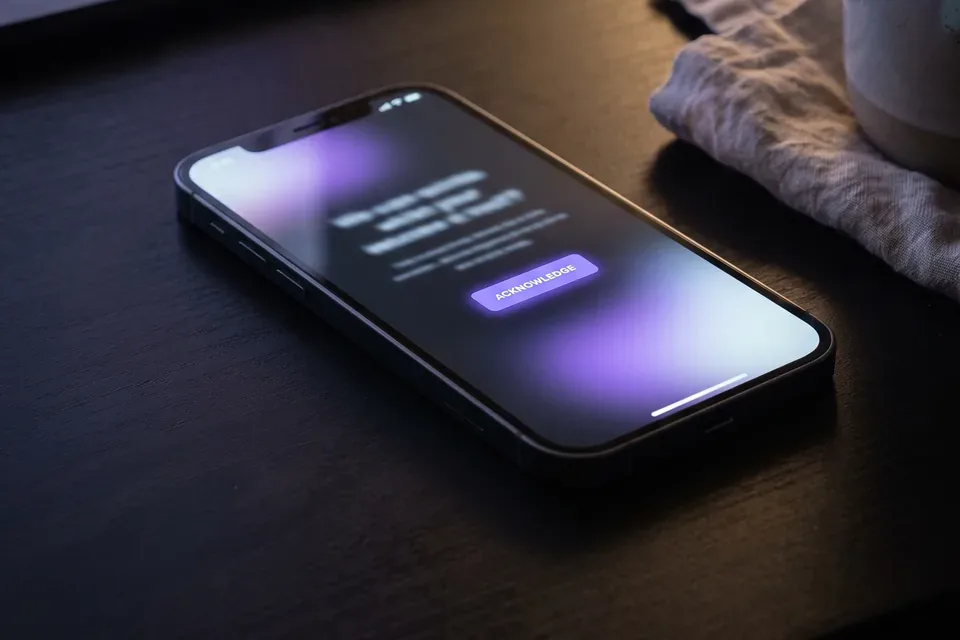
Smartphone on a desk at night showing an on-call page waiting for acknowledgement

Atlassian is closing Opsgenie on April 5, 2027 and points its customers to Jira Service Management, so many engineering teams meet JSM for the first time as a migration target. The friction is usually the same.

  • JSM bills per licensed agent, and every engineer who acknowledges or resolves an alert counts as one. A 15 person rotation pays for 15 agents.
  • Premium, at 55.28 USD per agent a month on Atlassian's page, is where AIOps sits, so the price per seat more than doubles from Standard at 21.50 USD.
  • It is a service desk first. Request portals, queues and asset management come with it whether the rotation uses them or not.
  • The incident itself lives in Jira tickets, while engineers coordinate in Slack.

Who buys this

  • Engineering managers and SRE leads replacing Opsgenie who plan in Jira Software and do not want to buy a service desk for paging.
  • CTOs of 20 to 200 person SaaS companies whose enterprise customers now ask for a status page and a postmortem process.
  • IT leads who tried JSM Standard for alerts and found the incident coordination still happens in Slack threads and spreadsheets.

How an incident runs in IncidentBot

On-call engineers reviewing an escalation plan together at a shared desk

The scheduling side is on the on call scheduling software page, and the import steps from Opsgenie are on the Opsgenie alternative page.

  • An alert arrives from your monitoring tool by email or webhook and is routed to a service.
  • The escalation policy pages the engineer on call by push, SMS or voice, then the next step if nobody acknowledges.
  • The /incident command in Slack opens a channel with a timeline. On Team, a commander, comms lead and scribe are assigned.
  • A status page update is drafted from the timeline and published to subscribers.
  • After resolution, a postmortem is drafted from the same timeline, and action items sync to Jira on Team.

Jira Service Management against IncidentBot for 5, 15 and 40 responders

Monthly cost at list prices, JSM at the monthly rates on Atlassian's pricing page in October 2026 (annual billing saves up to 17 percent), IncidentBot at annual billing. Prices change, so confirm before you sign. The detail is in our Jira Service Management pricing breakdown.

Plan5 responders15 responders40 responders
Jira Service Management Standard107.50 USD322.50 USD860.00 USD
Jira Service Management Premium276.40 USD829.20 USD2,211.20 USD
IncidentBot Starter120 USD360 USD960 USD
IncidentBot Team245 USD735 USD1,960 USD

Where others win, honestly. On seat price alone JSM Standard costs less than IncidentBot Starter, and if you already run a service desk in Jira, adding agents is the cheapest path. JSM also covers employee requests and asset management, which IncidentBot does not. IncidentBot wins when the outage involves more than the rotation: the Slack incident channel, the status page and the drafted postmortem are part of the seat, and support or leadership who follow along are never billed.

What each tool covers

What you needJira Service ManagementIncidentBot
Alerts, schedules, escalationIncluded from the Free plan for 3 agentsStarter and Team
Employee service desk and request portalCore productNot offered
Slack incident channel with rolesNot part of the plan list on Atlassian's page/incident on Starter, commander, comms and scribe on Team
Customer status pageNot part of the plan list on Atlassian's page1 public page on Starter, 3 pages with subscribers on Team
Postmortem from the timelineNot part of the plan list on Atlassian's pageTeam, action items synced to Jira and Linear
Readers who are never pagedUnlicensed customers onlyFree read-only viewers on every plan

Starter or Team

Starter at 24 USD a seat suits 3 to 6 responders: 3 schedules, 3 escalation policies, 100 SMS and voice notifications per user, the Slack incident flow and one public status page. Team at 49 USD a seat adds unlimited schedules and overrides, incident roles, three status pages with subscribers, postmortem drafts and the Jira action-item sync, and is where most 10 to 40 person rotations settle. Teams that keep Jira as the backlog should read the Opsgenie replacement for Jira teams page.

FAQ

What is the best Jira Service Management alternative for on-call?

For engineering teams that coordinate in Slack, IncidentBot covers paging, schedules, escalation, the incident channel, a status page and postmortems from 24 USD per seat billed annually. For paging alone, Spike and PagerTree cost less per seat. For an IT service desk in Jira, JSM remains the better fit.

Is Jira Service Management good for on-call?

It works if you already run Jira as a service desk. Atlassian lists alerts, on-call schedules and escalation policies on every plan, including Free for 3 agents. Teams that run incidents in Slack and need a status page usually add other tools around it.

How much does Jira Service Management cost per agent?

Atlassian's pricing page shows Standard at 21.50 USD and Premium at 55.28 USD per agent a month at monthly billing, with annual billing saving up to 17 percent. Enterprise is annual only and quoted. Every engineer who works alerts counts as an agent.

Can IncidentBot work with Jira?

Yes. On Team, action items from postmortems sync to Jira, so the work you assign after an incident lands in the backlog your team already uses. Jira Cloud is supported, and issues come from action items rather than from individual alerts.

Can we move our Opsgenie schedules?

Yes. Schedules, layers, overrides and escalation policies import from Opsgenie with a read-only API key that is used once and not stored. Opsgenie access ends on April 5, 2027, so the import is worth doing before the renewal date.

Do stakeholders need a paid seat?

No. Support, success and leadership who follow incidents without being paged are read-only viewers and are free on every plan. You pay for responder seats only.

Can we try it before we buy?

Yes. The incident simulator runs a sample incident in your browser with an alert, escalation, a Slack channel and a status update, before you create an account.

Run the incident where your team already works

Create your account, connect one alert source and see the Slack incident flow on your own rotation.

Run a sample incident