Skip to content
IncidentBot

Follow the sun on call rotation software for remote teams across time zones

A follow the sun on call rotation hands the pager from one region to the next as the workday moves around the globe, so every alert reaches someone who is awake. In IncidentBot you build it as one schedule with a layer per region, each limited to that region's working window, and the escalation policy always pages whoever holds the window right now. Plans start at 24 USD per responder seat a month billed annually, and people who only follow incidents read for free.

For a typical setup of 3 regions with 3 engineers each, that is 216 USD a month on Starter or 441 USD on Team, which adds overrides for local holidays. The cost table below compares it with PagerDuty, incident.io, Grafana Cloud IRM, Spike, PagerTree and Hyperping.

Why follow-the-sun breaks in a spreadsheet

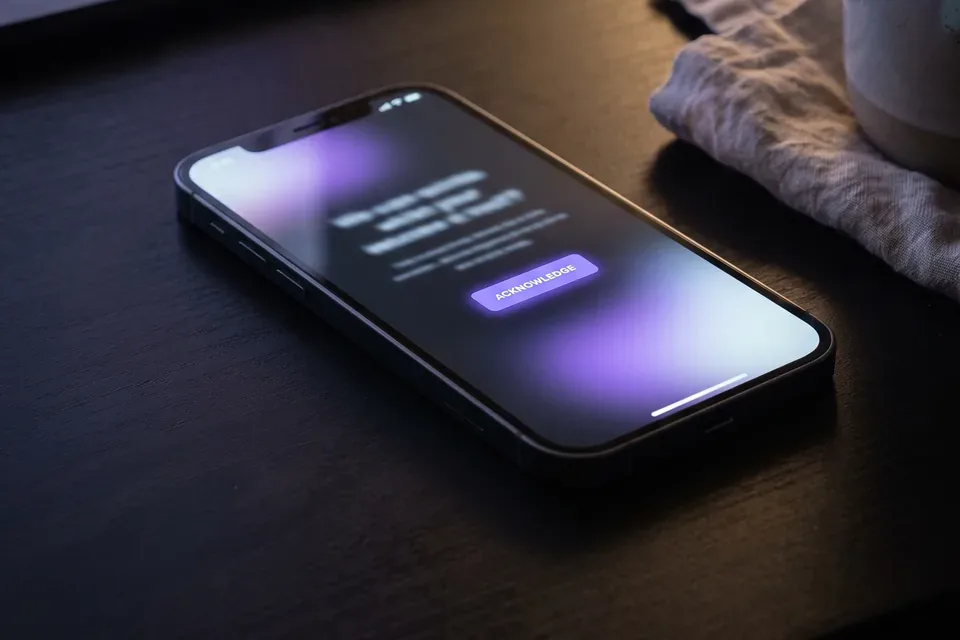
Smartphone on a desk at night showing an on-call page waiting for acknowledgement

Most distributed teams start follow-the-sun with good intentions and a shared calendar. Then the edge cases arrive. A US engineer is still paged at 3 a.m. because the Singapore hand-off was typed in the wrong time zone. Daylight saving time moves London and New York on different weekends, so for two weeks every spring there is a one-hour hole nobody owns. A public holiday in India or Germany leaves a window empty, and the alert goes to the US team anyway.

  • Hand-offs written in local time drift apart when clocks change in one region but not another.
  • Gaps between windows are invisible until an alert falls into one.
  • Holidays differ per country, so one global calendar never matches reality.
  • Escalation still points at a fixed person instead of whoever owns the current window.

Who buys this

  • Engineering managers and SRE leads with responders in two or three regions, typically AMER, EMEA and APAC, who want to stop overnight pages for routine alerts.
  • US SaaS companies that opened an office in Europe or Asia and now have enough people abroad to share the pager.
  • IT and platform teams moving off Opsgenie before April 5, 2027 who need their regional rotations rebuilt without a weekend of manual work.

How a follow-the-sun schedule is built in IncidentBot

On-call engineers reviewing an escalation plan together at a shared desk

A schedule in IncidentBot is made of layers. Each layer is a rotation with its own people, shift length and start time, and it can be limited to a daily window such as 08:00 to 16:00. When two layers cover the same minute, the later layer wins, so you can stack regional windows on top of a 24-hour base layer that catches anything you forgot.

Every engineer can subscribe to the schedule as a calendar feed, so their shifts show up in Google Calendar or Outlook in their own local time. The full feature list is on the on call scheduling software page.

  • Pick one time zone for the schedule. UTC is the usual choice for three regions, or use the time zone of your largest office.
  • Add one layer per region with its window, for example APAC 00:00 to 08:00, EMEA 08:00 to 16:00 and AMER 16:00 to 00:00 UTC. Windows can cross midnight.
  • Inside each layer, rotate the regional engineers weekly or daily, so one person per region holds the window at a time.
  • Keep a 24-hour base layer with a senior engineer or manager underneath, so a gap never leaves an alert unassigned.
  • Point the escalation policy at the schedule. It pages whoever owns the current window, then the next step if nobody acknowledges.

Daylight saving time, said plainly

Windows follow the schedule's time zone. If the schedule runs in UTC, the hand-off stays fixed in UTC and moves by one hour in local time when a region changes its clocks. Most teams accept that, because nothing is ever uncovered. If you prefer hand-offs pinned to New York office hours, set the schedule to America/New_York and the other regions move instead. Pick the region that complains least.

What follow-the-sun on-call costs for 9 responders

Engineering manager working through a tool budget on a laptop

Monthly cost for 3 regions with 3 engineers each, at list prices billed annually unless noted, taken from each vendor's public pricing page in September and October 2026. Prices change, so check the vendor page before you sign.

Tool and plan9 responders a monthWhat matters for follow-the-sun
PagerTree Pro (annual)112.50 USD150 USD per user a year, capped at 25 users, no status page listed on its pricing page
Spike Business (billed monthly)126 USDStandard allows 1 schedule for 1 person, so a rotation needs Business
Grafana Cloud IRM Pro139 USD19 USD platform fee plus 20 USD per active user above 3, no status page
PagerDuty Professional189 USDPaging and schedules, status pages and incident workflows cost extra
incident.io Team with on-call225 USD15 USD per user plus a 10 USD per user on-call add-on
Better Stack responder licenses261 USDUptime monitoring and on-call, 1 status page included
Hyperping Business (monthly)299 USDFlat price with unlimited schedules, uptime checks included
IncidentBot Starter216 USDRegional layers and windows, Slack incidents, 1 public status page
IncidentBot Team441 USDAdds overrides for local holidays, incident roles, 3 pages with subscribers, postmortem drafts

Where others win, honestly. If you only need a phone to ring in the right region, PagerTree, Spike Business and Grafana Cloud IRM cost less for 9 people, and Hyperping (see Hyperping pricing) is the better buy if you also want uptime checks, which IncidentBot does not run. Where IncidentBot wins is everything after the page: the Slack incident channel, the customer status page and the postmortem sit on one timeline that all three regions read, and the person who takes over at the hand-off sees what the last region already tried. Detailed vendor math is in our PagerTree pricing, PagerDuty pricing and Spike.sh pricing guides.

Starter or Team for a follow-the-sun rotation

Starter at 24 USD a seat runs a follow-the-sun schedule well: one schedule with regional layers and windows, a base layer and an escalation policy fit inside its limit of 3 schedules and 3 policies. It is a good fit while each region has two or three people and holidays are rare enough to handle by editing the layer.

Team at 49 USD a seat is where most global rotations end up, because holidays differ per country. Overrides let a Berlin engineer hand Tuesday's window to a colleague without touching the rotation, incident roles stop two regions from working the same task, and subscribers get status updates by email in their own time zone. Compare both on the pricing page.

Moving from Opsgenie or PagerDuty? Schedules, layers, overrides and escalation policies import with a read-only API key that is used once and not stored, so your regional windows arrive intact. See the Opsgenie alternative page for the migration steps.

FAQ

What is a follow the sun on call rotation?

It is an on-call model where responsibility passes between teams in different regions so that each covers its own business hours. With three regions about eight hours apart, such as APAC, EMEA and AMER, nobody is on call overnight, and alerts reach an engineer who is awake and at a desk.

How many people do you need for follow-the-sun on-call?

Plan for at least three responders per region, so one person holds the window while the others cover holidays and sick days. Two regions can work with a 12-hour split. Below about two people in a region, the rotation leans on the same person every week and the model stops saving anyone sleep.

How do you handle daylight saving time in a follow-the-sun schedule?

Run the schedule in a single time zone, usually UTC, so hand-offs never overlap or leave a gap when one country changes its clocks. The local hand-off then moves by an hour for that region. A 24-hour base layer underneath the regional windows catches any minute nobody owns.

What is the best follow the sun on call software?

For paging alone, PagerTree, Spike Business and Grafana Cloud IRM are the cheapest options for a 9-person global rotation. For paging plus Slack incidents, a status page and postmortems that every region shares, IncidentBot covers it from 24 USD a seat, with free read-only viewers.

Can we keep a weekly rotation inside each region?

Yes. Each regional layer has its own rotation length, so APAC can hand over weekly while EMEA rotates daily. The window decides which region owns the pager, and the rotation decides which engineer in that region holds it this week. Read our on call rotation patterns guide to pick the length.

Do we pay for stakeholders in every region?

No. Support agents, account managers and executives who follow incidents without being paged are read-only viewers and are not billed on any plan. You pay only for responder seats, whatever region they sit in.

Can we try a follow-the-sun setup before buying?

Yes. The incident simulator runs a sample incident in your browser with an alert, escalation, a Slack channel and a status update, so you can see the flow before you create an account and build your regional layers.

Hand the pager to whoever is awake

Create your account, add a layer per region and stop paging engineers at night for routine alerts.

Small team in one time zone? See incident management software for small teams.

Run a sample incident