Skip to content
IncidentBot

OnPage alternative for IT and DevOps on-call teams with scheduling included

OnPage is a solid pager with persistent mobile alerts, but its on-call scheduler sits in the Enterprise Gold package at 28.99 USD per user a month, and SMS is another 5 USD per user on top. IncidentBot is an OnPage alternative for IT and DevOps teams that includes rotations, escalation, push, SMS and voice in every seat from 24 USD per user a month billed annually, with a public status page and Slack incident channels on the same bill.

When OnPage is the right pager and when to switch

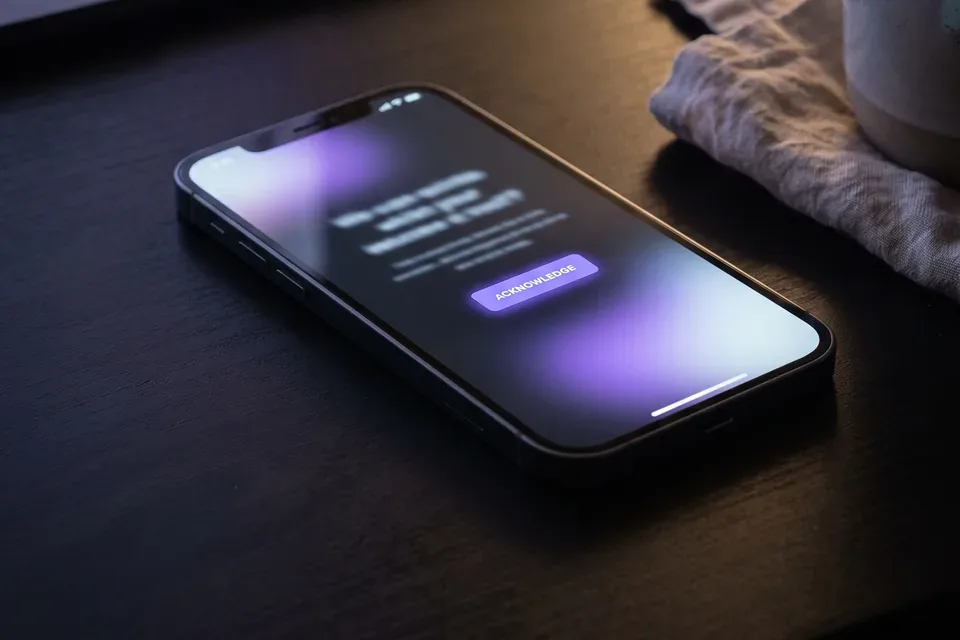
On-call engineer acknowledging an alert on a phone at night

Stay on OnPage if live call routing is the heart of your setup: a client or a nurse dials one number and OnPage rings whoever is on duty. That is a real strength, and IncidentBot does not route live phone calls. The same goes for teams that bought OnPage for its HIPAA-focused secure messaging between clinical staff.

Switch when the bill or the workflow points elsewhere:

  • Your rotation needs the scheduler, so every seat moved to Gold and the per-user price doubled.
  • SMS paging is a separate 5 USD line per person, and the renewal quote keeps growing with the team.
  • Engineers run incidents in Slack and update customers by hand, because OnPage has no status page.
  • Alerts come from Datadog, Prometheus, Grafana, CloudWatch or Sentry, and you want the incident timeline and postmortem in one place.

OnPage vs IncidentBot feature and price comparison

OnPage prices are from the OnPage pricing page and its on-call scheduler page, checked in October 2026. The full breakdown, with every add-on, is in our OnPage pricing and cost guide.

What you needOnPageIncidentBot
Entry price per user a month13.99 USD annual (16.99 USD quarterly)24 USD on Starter, annual
On-call scheduler and rotationsEnterprise Gold, 28.99 USD per user, annual onlyEvery plan
SMS pagingAdd-on, 5 USD per user a monthThrough your own Twilio account: 100 per user a month on Starter, no limit on Team and above
Voice callsPhone call notifications from Enterprise SilverIncluded in the seat
Mobile alertsNative app with persistent, overriding alertsInstalled web app with push, then SMS and voice fallback
Live call routing to the on-call personAdd-on, 9 USD per user with 250 minutesNot offered
Public status pageNot offered1 page on Starter, 3 on Team
Slack incident channel and timelineNot the focus of the product/incident opens a channel, pages the on-call and keeps the timeline
PostmortemsReports and alert historyPostmortem draft built from the timeline
People who only watchEach user is a paid userStakeholder viewers included and never billed

Read the table honestly. OnPage wins on live call routing and a native app built for loud, persistent alerts. IncidentBot wins when the rotation, SMS, voice and a status page should sit in one published seat price.

What a 5, 15 and 40 person rotation costs on OnPage and IncidentBot

Monthly cost at annual list prices, every person on the rotation holds a seat. OnPage rows use Gold, because OnPage places the scheduler there.

Setup5 users15 users40 users
OnPage Gold (scheduler)144.95 USD434.85 USD1,159.60 USD
OnPage Gold plus SMS169.95 USD509.85 USD1,359.60 USD
OnPage Gold plus SMS and live call routing214.95 USD644.85 USD1,719.60 USD
IncidentBot Starter (scheduler, SMS and voice, 1 status page)120 USD360 USD960 USD
IncidentBot Team (SMS and voice through your own Twilio account, 3 status pages)245 USD735 USD1,960 USD

Here is a worked example. An MSP runs a 15 person rotation across three client groups and pages by push and SMS. On OnPage Gold with SMS that is 509.85 USD a month, or 6,118.20 USD a year. On IncidentBot Starter the same rotation, with SMS and voice through your own Twilio account (billed by Twilio) and a public status page for the largest client, is 360 USD a month, or 4,320 USD a year. The difference of about 1,800 USD a year holds as long as the team stays within 100 SMS and voice pages per person a month, which a 15 person rotation with sane escalation rarely exceeds. If it does, Team removes the cap. Our pricing page has a seat calculator for your own numbers.
Teams that move from OnPage to IncidentBot

If you are comparing more than two tools, our SIGNL4 alternative, AlertOps alternative and PagerDuty alternative pages price the same team sizes, and the best incident management software roundup puts them all in one table.

  • MSPs with a rota per client who need escalation policies and a status page per client. The on-call software for MSPs page shows how one workspace covers several clients.
  • IT operations teams paging infrastructure and network engineers from monitoring alerts, who never used live call routing. The IT incident management page covers that setup.
  • DevOps and SRE teams of 5 to 40 engineers who run incidents in Slack and want the pager, the channel and the timeline in one tool. See Slack incident management.
  • Teams with many watchers. Support leads, account managers and executives follow incidents as stakeholder viewers and are not billed.

What happens when an alert fires at 2 a.m.

The on-call app with push, SMS and voice page shows what the engineer sees on the phone and how the fallback chain behaves.

  • A monitoring tool posts the alert to the service, or sends an email to the policy address.
  • The escalation policy of that service picks the on-call engineer from the current rotation.
  • The engineer gets a push notification first, an SMS after a minute and a voice call after three, following their personal notification rules.
  • No acknowledgement in the time you set, and the next tier is paged automatically.
  • Once acknowledged, /incident in Slack opens a channel with the alert context, and the status page update is drafted from the same timeline.

Moving off OnPage without a gap in paging

A team of 5 to 40 people usually needs two to three weeks of calendar time. Check your OnPage contract end date first, since the Silver and Gold plans are sold on annual terms only.

  • Export: list your OnPage groups, members, rotations and escalation steps from the console.
  • Rebuild: create the same rotations and escalation policies in IncidentBot, then compare who is on call for the next four weeks side by side.
  • Route alerts: point each monitoring source and email integration at IncidentBot next to the current OnPage path, one service at a time.
  • Parallel run: one to two weeks where both systems page, and every engineer confirms a test page by push, SMS and voice.
  • Switch off: end the OnPage path for each group once the parallel run matches. If you rely on a dedicated line for live call routing, keep that one piece until you replace it with your phone system.

FAQ

What is the best alternative to OnPage?

For teams that need live call routing and HIPAA-focused messaging, OnPage itself or a clinical communications tool. For IT and DevOps teams that need rotations, escalation, SMS and voice on one seat price with a status page, IncidentBot, from 24 USD per user a month billed annually.

Is OnPage cheaper than PagerDuty?

Only on the base plan. OnPage starts at 13.99 USD per user, below PagerDuty Professional at 21 USD, but OnPage places the on-call scheduler in Gold at 28.99 USD and charges 5 USD per user for SMS. A rotation with SMS on OnPage costs 33.99 USD per person, more than PagerDuty Professional.

Does IncidentBot route live phone calls like OnPage?

No. IncidentBot pages people by push, SMS and voice when an alert fires, but it does not forward an incoming phone call to whoever is on duty. Teams that depend on that keep a call routing line in their phone system and move the alert paging to IncidentBot.

Do stakeholders who only watch incidents need a paid seat?

No. In IncidentBot stakeholder viewers are included in every plan and never billed. Managers, support and account teams can see who is on call, follow incidents and read the status page without a seat. Only responders who carry the pager hold one.

Can we try IncidentBot before cancelling OnPage?

Yes. The incident simulator runs a sample incident in your browser with an alert, escalation through a policy you build, a Slack channel, a status page draft and a postmortem skeleton. No account is needed: run the demo yourself.

Get rotations, SMS and voice in one seat price

Create your account, rebuild your OnPage rotation and page in parallel until every test lands.

Run a sample incident