Skip to content
IncidentBot

SIGNL4 alternative for IT and DevOps teams that run incidents after the alert

SIGNL4 is a strong, low priced alerting tool, and for paging alone its Optimize plan at 15 USD per user a month beats most rivals. IncidentBot is the SIGNL4 alternative for IT and DevOps teams whose work starts after the acknowledgement: it pages the on-call engineer from a rotation and escalation policy, opens a Slack incident channel, keeps the timeline, publishes a status page and drafts the postmortem, from 24 USD per user a month billed annually.

When SIGNL4 is enough and when to switch

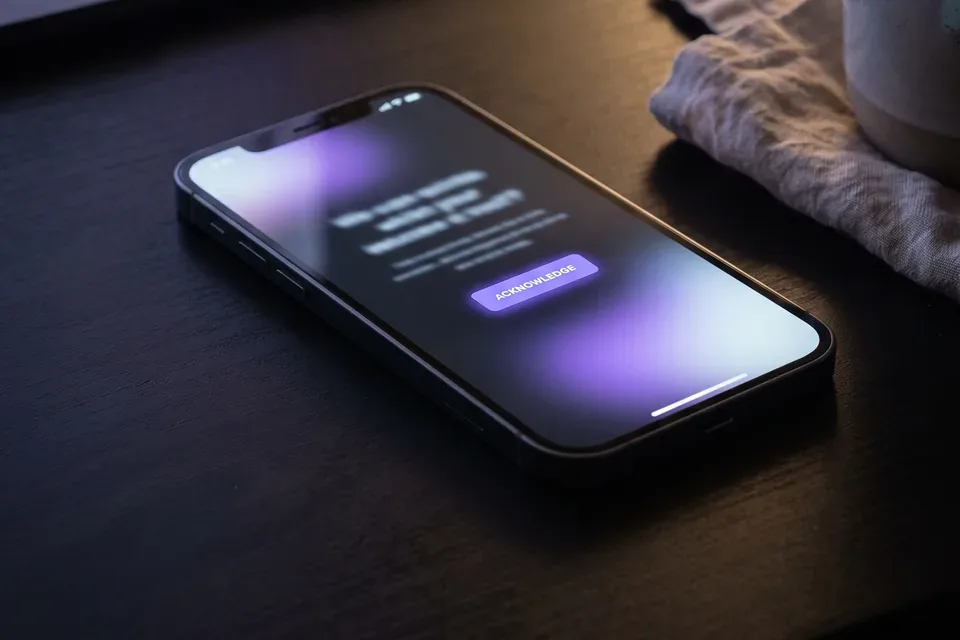
On-call engineer acknowledging an alert on a phone at night

Stay on SIGNL4 if an incident ends when somebody acknowledges the alert and fixes the machine. Field service, facilities, plant maintenance and plain IT operations teams get real value from it, and its heartbeat and website monitors come in the same seat. Live call routing and a public who is on call dashboard on Maximize are also things IncidentBot does not offer.

Switch when the work after the page is where your time goes:

  • Your engineers run incidents in Slack and need a channel, roles and a timeline opened for them.
  • Customers ask what is going on and you update them by hand, because SIGNL4 has no public status page.
  • You pay 3 USD per stakeholder a month so managers and support can follow alerts. IncidentBot viewers are never billed.
  • The postmortem is written from memory a week later instead of from the timeline.

SIGNL4 vs IncidentBot feature and price comparison

SIGNL4 prices are from the SIGNL4 pricing page, checked in October 2026. Our full breakdown with add-ons is in the SIGNL4 pricing guide.

What you needSIGNL4IncidentBot
Entry paid price per user a monthNotify & Connect, listed at 9 USD24 USD on Starter, annual
Duty scheduling and automatic escalationOptimize, 15 USD annual (19 USD monthly)Every plan
Free planStarter, up to 5 usersFree trial and a no-account demo simulator
Stakeholders who only follow alerts3 USD per stakeholder a monthViewers included, never billed
Public status pagePublic who is on call dashboard on Maximize, no incident status page in the plan list1 page on Starter, 3 on Team
Slack incident channel with timelineChatOps alerts, no incident workflow/incident opens a channel and keeps the timeline
PostmortemsPost-shift reportsPostmortem draft built from the timeline
Heartbeat and website monitorsYes, from OptimizeNo, you bring your own monitoring
Live call routingMaximize, plus 10 USD a month for the numberNot offered

SIGNL4 wins on price per paging seat, on monitors in the seat and on live call routing. IncidentBot wins when the incident itself needs a workflow, a status page and a postmortem.

What a 5, 15 and 40 person rotation costs on SIGNL4 and IncidentBot

Monthly cost at annual list prices, every person on the rotation holds a seat.

Setup5 users15 users40 users
SIGNL4 Optimize75 USD225 USD600 USD
SIGNL4 Optimize plus 10 stakeholders105 USD255 USD630 USD
Optimize plus 10 stakeholders and a hosted status page at 99 USD a month204 USD354 USD729 USD
IncidentBot Starter (1 status page, viewers free)120 USD360 USD960 USD
IncidentBot Team (3 status pages, incident roles)245 USD735 USD1,960 USD

A worked example. A 15 person SaaS team pages with SIGNL4 Optimize at 225 USD a month, adds 10 managers as stakeholders (30 USD) and buys a hosted status page at about 99 USD a month (the Atlassian Statuspage Startup list price, check it before you rely on it): 354 USD a month, with the incident channel and postmortem still done by hand. IncidentBot Starter for the same 15 responders is 360 USD, and the managers are free viewers. The bill is within 6 USD a month, and you drop a separate status page tool and the manual steps. If you only ever page and never run an incident, SIGNL4 alone at 225 USD stays cheaper. Use the pricing page seat calculator for your own numbers.
Teams that move from SIGNL4 to IncidentBot

What happens when an alert fires

  • A monitoring tool posts the alert to the service, or sends an email to the policy address.
  • The escalation policy of that service picks the on-call engineer from the current rotation.
  • The engineer gets a push notification on the installed web app, see the on-call app page for what that looks like.
  • No acknowledgement in the time you set, and the next tier is paged automatically.
  • Once acknowledged, /incident in Slack opens a channel with the alert context and the status page update is drafted from the same timeline.

Moving off SIGNL4 without a gap in paging

Check your SIGNL4 contract term first. Paid plans are sold to businesses on monthly or annual terms, and the monthly price is 4 USD higher on Optimize.

  • Export: list your teams, members, duty schedules and escalation settings from the SIGNL4 portal.
  • Rebuild: create the same rotations and escalation policies in IncidentBot and compare who is on call for the next four weeks side by side.
  • Route alerts: point each monitoring source or email integration at IncidentBot beside the current SIGNL4 path, one service at a time.
  • Parallel run for one to two weeks, with every engineer confirming a test page.
  • Switch off the SIGNL4 path per team once the parallel run matches. Keep it for any heartbeat monitors or live call line you still use.

FAQ

What is the best alternative to SIGNL4?

For paging with live call routing and monitors, stay with SIGNL4 or look at OnPage. For IT and DevOps teams that need rotations, escalation, a Slack incident channel, a status page and postmortems in one tool, IncidentBot, from 24 USD per user a month billed annually.

Is SIGNL4 cheaper than IncidentBot?

For paging alone, yes. SIGNL4 Optimize is 15 USD per user a month annual against 24 USD for IncidentBot Starter. IncidentBot costs more because it includes the Slack incident workflow, a public status page and postmortem drafts that SIGNL4 does not offer.

Does IncidentBot have a free plan like SIGNL4 Starter?

No permanent free plan. You can run the incident simulator in your browser without an account, and start a free trial of the paid product. SIGNL4 Starter is free for up to 5 users with limited features and 1 month of data.

Do stakeholders who only watch incidents need a paid seat?

No. In IncidentBot stakeholder viewers are included in every plan and never billed. Only responders who carry the pager hold a seat. SIGNL4 charges 3 USD per stakeholder a month on its paid plans.

Does IncidentBot offer heartbeat or website monitoring?

No. IncidentBot receives alerts from your monitoring tools such as Datadog, Prometheus, Grafana, CloudWatch or Sentry, by webhook or email. If you rely on SIGNL4 heartbeat monitors, keep a monitoring tool beside it.

Run the incident, not just the alert

Create your account, rebuild your SIGNL4 rotation and page in parallel until every test lands.

Run a sample incident